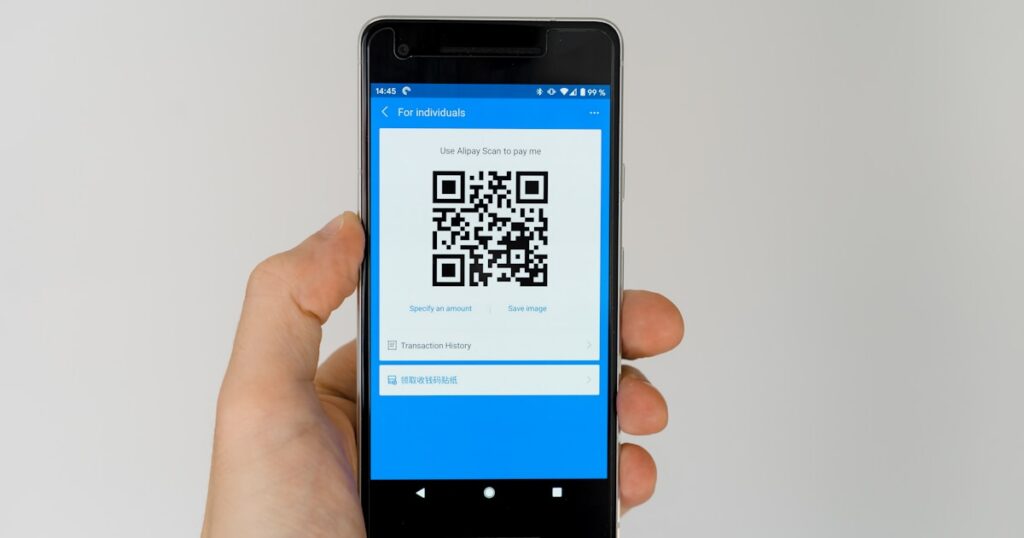
You need a QR code. Maybe for a business card, a restaurant menu, a Wi-Fi login, or a link to your portfolio. The good news: you don’t need to pay for it, and you definitely don’t need to install anything.
I spent two weeks testing every free QR code generator I could find. Some were great. Some slapped watermarks on everything. Some tried to lock basic features behind a paywall after I’d already designed the code. Here’s what actually works in 2026 without spending a cent.
Quick Comparison: Best Free QR Code Generators
| Tool | Static QR Codes | Dynamic QR | Custom Design | Logo Embed | Signup Required | Best For |
|---|---|---|---|---|---|---|
| QRCode Monkey | Unlimited | No | Yes | Yes | No | Custom-designed codes |
| GoQR.me | Unlimited | No | Color only | No | No | Quick one-off codes |
| Google Chrome | Unlimited | No | No | No (dino icon) | No | Sharing a URL fast |
| Canva | Unlimited | No | Yes | Via design | Yes (free plan) | Branded marketing materials |
| QR Code Generator | Unlimited | 1 free (14-day) | Color only | No (free tier) | Yes | Testing dynamic QR |
| The-QRCode-Generator | Unlimited | No | No | No | No | Simplest possible workflow |
| Me-QR | Unlimited | 3 free | Yes | Yes | Yes | Dynamic codes on free tier |
| QR Tiger | Unlimited | 3 free | Yes | Yes | Yes | Analytics without paying |
Static vs Dynamic QR Codes: Which Do You Need?
Before picking a tool, you need to understand this distinction because it affects which generator you should use.
Static QR codes encode data directly into the pattern. The URL, text, or contact info is baked into the image itself. Once you print it, you can’t change where it points. They work forever, no server dependency, no expiration. For most personal use cases, this is all you need.
Dynamic QR codes point to a redirect URL controlled by the generator service. You can change the destination after printing, track scan counts, see location data, and set expiration dates. The catch: they depend on the service staying online, and almost every tool charges for this. The free tiers I found max out at 1-3 dynamic codes.
Honestly, if you’re making a QR code for a menu, event invite, or business card, static is fine. Dynamic makes sense when you’re running a marketing campaign and need scan analytics or might change the target URL later.
Method 1: QRCode Monkey – Best Free Option Overall
This is where I send everyone who asks me about QR codes. QRCode Monkey gives you unlimited static QR codes, high-resolution PNG/SVG/EPS/PDF exports, custom colors, custom shapes for the dots and corners, and logo embedding. All free. No signup. No watermark.
I kept waiting for the catch. There isn’t one for static codes. The site makes money from their paid “QRCode Studio” desktop app, so the web generator stays genuinely free.
How to use it:
- Go to QRCode Monkey and select your content type (URL, text, email, phone, SMS, vCard, Wi-Fi, etc.)
- Enter your data
- Set colors – pick body color, eye color, and background color separately
- Add a logo image if you want one centered in the code
- Choose dot style (squares, rounded, dots, etc.) and corner style
- Hit “Create QR Code” and download as PNG (up to 2000x2000px), SVG, PDF, or EPS
The SVG export is particularly useful. You get a vector file that scales to any size without quality loss, which matters if you’re printing on a banner or poster. Most free generators give you a tiny PNG and call it a day.
Limitations: No dynamic QR codes, no scan tracking, no bulk generation. For those features, you need their paid app ($34.99 one-time) or a different service.
Method 2: GoQR.me – Fastest No-Frills Generator
If you just need a QR code in 10 seconds and don’t care about custom design, GoQR.me is the fastest path. The interface is bare-bones: pick a type (URL, text, vCard, SMS, Wi-Fi), enter your data, and the QR code renders instantly on the right side of the page.
You can change the foreground and background colors, set the size (up to 1000×1000), choose the error correction level, and download as PNG, SVG, or EPS. That’s it. No account, no logo embedding, no fancy dot patterns.
I like it for quick throwaway codes. Need to share a Wi-Fi password at an Airbnb? GoQR.me, 15 seconds, done. But for anything customer-facing where branding matters, QRCode Monkey is better.
Method 3: Google Chrome Built-in QR Generator
A lot of people don’t know this exists. Chrome has a built-in QR code generator for any webpage you’re viewing.
How to use it:
- Open the page you want to create a QR code for in Chrome
- Right-click anywhere on the page
- Select “Create QR Code for this page” (or click the share icon in the address bar, then “QR Code”)
- A QR code pops up with Chrome’s dinosaur icon in the center
- Click “Download” to save as PNG
The output is a simple black-and-white code with the Chrome dino logo. You can’t customize colors, size, or design. The downloaded PNG is relatively small (370×370 pixels on my machine). But for quickly generating a scannable link to share with someone, it’s the zero-effort option.
Also works in: Microsoft Edge (right-click > “Create QR Code for this page”) and Brave browser. Firefox doesn’t have this feature natively.
Method 4: Canva QR Code Generator
If you’re already designing something in Canva – a business card, poster, flyer, social media graphic – generating a QR code inside the same tool saves a step. Canva’s QR generator lives inside the editor as an app.
How to use it:
- Open any Canva design (or start a new one)
- Click “Apps” in the left sidebar
- Search for “QR Code” and select the built-in QR code generator
- Enter your URL
- Customize the margin, foreground color, and background color
- Click “Generate QR Code” – it drops into your design as a draggable element
The Canva approach works well when the QR code is part of a larger design. You can resize it, layer it over backgrounds, add frames around it. The code itself is basic (no dot pattern customization, no logo embed through the QR tool), but since you’re in a full design editor you can place a logo image on top manually.
Free Canva plan works fine for this. You don’t need Pro.
Method 5: QR Code Generator (qr-code-generator.com)
This tool offers a clean interface and supports a wide range of QR types: URL, vCard Plus, social media profiles, PDF, images, video, app store links, feedback forms, rating requests, event, Wi-Fi, and more. The static QR codes are free and unlimited.
Where it gets interesting: you get one free dynamic QR code with a 14-day trial of their paid features. This lets you test dynamic QR functionality (editing the destination URL after creation, viewing scan analytics) before committing to the $6.99/month Starter plan.
The free tier limits customization. You can change colors but can’t add a logo or use custom dot patterns without upgrading. For basic URL-to-QR conversion, it works. For branded codes, QRCode Monkey gives you more design freedom at no cost.
Method 6: Me-QR
Me-QR stands out for offering 3 free dynamic QR codes. Most services give you zero or one. Here you get three codes whose destination you can change after creation, with basic scan statistics included.
The design customization is solid on the free plan: custom colors, dot patterns, corner shapes, and logo upload. The interface walks you through it step by step. You pick the type, enter data, customize the look, and download.
The trade-off: the free tier adds a small “Scanned by Me-QR” text under the code. It’s not on the QR image itself (so the code scans clean), but it appears on the redirect page for dynamic codes. Static codes don’t have this issue.
If you need a few dynamic codes without paying, Me-QR is the strongest free option I found.
Method 7: QR Tiger
QR Tiger is a more polished tool aimed at businesses. The free plan gives you unlimited static codes and 3 dynamic QR codes with 500 total scans. Design options are extensive: gradient colors, multiple dot styles, eye frames, and logo upload.
The analytics on free dynamic codes are basic (total scans, date, location). Paid plans ($7/month and up) unlock more detailed tracking, bulk generation, and API access.
I ran into one friction point: the signup process. You need an account for everything, even static codes. And during creation, the tool constantly upsells the premium features, which gets annoying. The actual codes it produces are solid though.
Method 8: The-QRCode-Generator.com
This site is as minimal as it gets. One page. One text field. You type or paste your content, and a QR code appears below it in real time. No categories, no tabs, no type selection. It auto-detects URLs, email addresses, phone numbers, and plain text.
Download options: PNG or SVG. No color customization, no logo, no sizing options. The code comes out at a reasonable resolution for screen use.
It’s the generator equivalent of a calculator app. Does one thing, does it instantly, doesn’t bother you with anything else. I keep it bookmarked for those moments when I just need a QR code now and don’t want to navigate through a feature-heavy interface.
What Type of QR Code Should You Create?
Most generators support 8-12 different QR code types. Here’s when each one makes sense:
URL QR code – the most common type. Points to any web address. Use for: linking to your website, a specific product page, a Google Form, a social media profile, or a video.
Wi-Fi QR code – encodes your network name, password, and encryption type. Guests scan it and connect automatically without typing the password. Use for: offices, Airbnbs, restaurants, home networks.
vCard QR code – encodes contact information (name, phone, email, company, website). When scanned, the phone offers to save it as a contact. Use for: business cards, name badges, conference materials.
Plain text QR code – displays text when scanned. No internet needed. Use for: serial numbers, short instructions, product info on packaging.
Email QR code – opens the email app with pre-filled recipient, subject, and body. Use for: feedback collection, event RSVPs, support contact points.
SMS QR code – opens the messaging app with a pre-filled number and message. Use for: opt-in campaigns, quick response systems.
Tips for QR Codes That Actually Scan
I’ve seen plenty of QR codes in the wild that don’t work. Printed too small, colors too low-contrast, placed on curved surfaces. Here’s what I’ve learned from testing:
Minimum print size: 2 x 2 cm (about 0.8 x 0.8 inches) for close-range scanning (phone held 10-15 cm away). For a poster viewed from a meter away, go 5 x 5 cm minimum. The rule of thumb: the QR code should be at least 1/10th the scanning distance.
Color contrast matters: Dark pattern on light background works best. You can use colors, but keep the contrast ratio high. Never put a dark QR code on a dark background or a light code on a light background. And avoid inverting (light pattern on dark background) – some older phone cameras struggle with it.
Error correction level: Most generators default to Level M (15% recovery) or Level Q (25% recovery). Higher error correction means the code still scans even if part of it is obscured (like by a logo in the center). If you’re embedding a logo, use Level H (30% recovery). If the code will be pristine, Level L (7%) keeps the pattern simpler and easier to scan at small sizes.
Test before printing. Always. Scan with at least two different phones. I’ve had codes that worked on my iPhone but failed on an older Android because the contrast was too low. Takes 30 seconds and saves you from printing 500 menus with a broken code.
Leave a quiet zone: The white border around the QR code isn’t decoration. Scanners need that margin to detect the code’s boundaries. Most generators add it automatically, but if you’re cropping the image tight, make sure you leave at least 4 modules (the small squares) of white space on each side.
Making a QR Code for Specific Use Cases
Restaurant Menu QR Code
Create a static URL QR code pointing to your menu PDF or webpage. Use QRCode Monkey to match your restaurant’s brand colors. Export as SVG, then place it on table tents or stickers. Static is fine here – if the menu URL changes, you just reprint the codes. For a busy restaurant that changes menus frequently, a dynamic code (Me-QR, 3 free) lets you swap the PDF without reprinting.
Business Card QR Code
Use a vCard QR code, not a URL code. vCard puts your full contact details into the scan, so the recipient can save your info in one tap. QRCode Monkey and Me-QR both handle vCard with design customization. Keep the code at least 2.5 x 2.5 cm on the card – smaller gets unreliable.
Wi-Fi Sharing
Most generators have a dedicated Wi-Fi QR type. Enter SSID, password, and encryption type (WPA/WPA2). Print it and stick it near your router or front desk. The person scans it and connects instantly. No need for dynamic here – if you change the password, print a new code.
Event or Conference
For linking to a schedule or registration page, a static URL code works. For check-in tracking, you want dynamic codes with analytics (scan counts per code). QR Tiger’s free tier with 3 dynamic codes and 500 scans covers a small event.
Frequently Asked Questions
Are free QR codes permanent?
Static QR codes are permanent. The data is encoded in the pattern itself, so they work forever without any server. Dynamic QR codes depend on the generator’s redirect service – if the company shuts down or you stop paying, the redirect breaks. For anything you’re printing long-term, use static codes.
Can I add my logo to a QR code for free?
Yes. QRCode Monkey lets you upload a logo image that gets placed in the center of the code, completely free, no account needed. Me-QR and QR Tiger also support logo embedding on their free tiers. The logo works because QR codes have built-in error correction that compensates for the covered area.
What’s the best image format to download?
SVG if you’re printing. It’s a vector format that scales to any size without quality loss. PNG works for screens and small print jobs. EPS or PDF for professional printing workflows. Avoid JPEG for QR codes – the compression can blur the edges between black and white modules, making the code harder to scan.
Do QR codes expire?
Static codes never expire. Dynamic codes expire if: the service sets a time limit on the free tier, you cancel a paid subscription, or the service itself shuts down. Always check the terms. Me-QR’s free dynamic codes don’t have an explicit expiration, but the company could change that policy.
Is there a size limit on what a QR code can store?
Yes. A single QR code holds a maximum of 4,296 alphanumeric characters or 7,089 numeric characters. In practice, shorter content creates simpler (more scannable) codes. A URL under 100 characters generates a clean, easy-to-scan code. A vCard with full address, phone, email, and notes might push the pattern density up, making it harder to scan at small sizes.
Can I track how many people scan my QR code?
Only with dynamic QR codes. Static codes have no tracking capability since there’s no server in the middle. Free dynamic options: Me-QR (3 codes), QR Tiger (3 codes, 500 scans), QR Code Generator (1 code, 14-day trial). For serious analytics (device type, exact location, time-of-day patterns), you’ll need a paid plan from any of these services.
Looking for a full-featured editor to work with the PDFs your QR codes link to? Check our guide to the best free PDF editors – several of them handle form creation and digital signatures that pair well with QR code workflows. And if you need to generate QR codes in bulk or want a deeper comparison of generator features, our best QR code generators roundup covers paid options too.