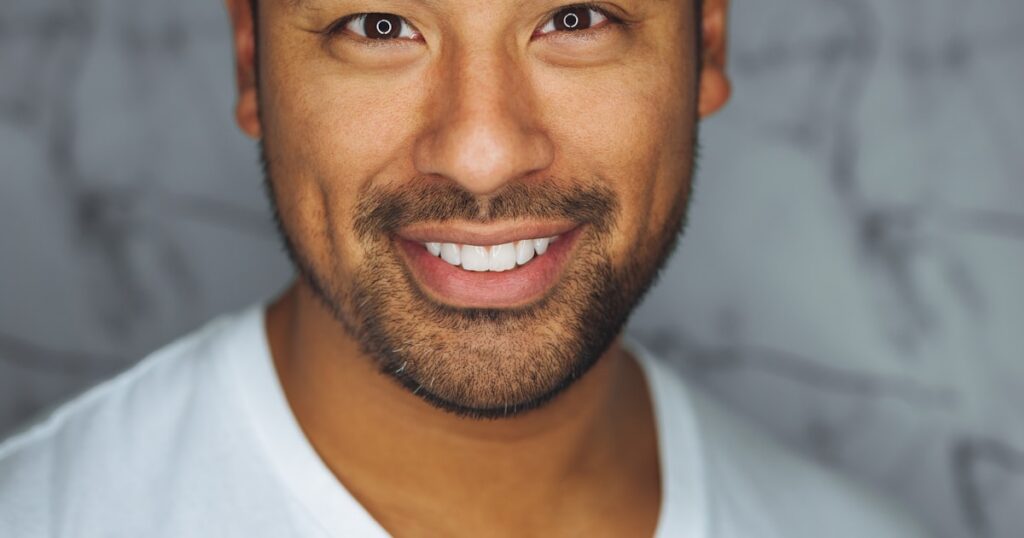
You need a professional headshot but don’t want to pay $200+ for a photographer. I get it. Over the past month I uploaded the same selfie to 7 different AI headshot generators to see which ones actually produce usable results for free. Some surprised me. Others were basically glorified crop tools with an “AI” label slapped on.
Here’s what I found – and which tools are worth your time depending on whether you need a LinkedIn photo, a company team page shot, or just a better profile picture for Slack.
Quick Comparison Table
| Tool | Free Tier | AI Quality | Output Resolution | Best For | Paid Plans |
|---|---|---|---|---|---|
| Fotor | 1 free headshot | Good | 1024×1024 | Quick LinkedIn photos | From $3.33/mo |
| Artguru | 2 free/day | Decent | 512×512 | Casual profile pics | From $9.99/mo |
| HotPot.ai | Free with watermark | Good | 512×512 (free) | Experimenting with styles | From $10/mo |
| PFPMaker | Fully free | Basic | 400×400 | Social media avatars | None |
| Vidnoz | 1 free headshot | Good | 1024×1024 | Corporate-style shots | From $12.99/mo |
| Canva | Limited free | Good | Up to 1080×1080 | Users already in Canva | $12.99/mo (Pro) |
| HeadshotPro | No free tier | Excellent | Up to 4K | Serious professional use | From $29 |
What Makes a Good AI Headshot Generator?
Before jumping into individual tools, here’s what separates the good ones from the junk. I looked at four things: how realistic the face looks (no extra fingers or melted ears), whether the lighting matches a real studio setup, the background quality, and if the output resolution is high enough to actually use somewhere.
Most free tools produce 512×512 or 1024×1024 images. That’s fine for web use. If you need print-quality headshots, you’ll probably need to pay. Just being honest about that upfront.
If you’re looking for broader photo editing beyond headshots, check out our roundup of best AI photo editors – some of those tools handle portrait retouching and enhancement too.
1. Fotor AI Headshot Generator
Fotor has been around forever as a photo editor, but their AI headshot tool is relatively new. You upload a clear face photo, pick a style (business, casual, creative), and it generates a studio-quality headshot in about 30 seconds.
The free tier gives you one headshot generation. That’s it – one. But here’s the thing: that one free shot is actually pretty good. The skin smoothing is subtle enough that you don’t look like a wax figure, and the background replacement is clean. No weird halos around the hair.
What I liked
- Natural skin texture preservation
- Multiple background options (plain gray, gradient, office)
- Good at handling different face shapes
- 1024×1024 output on free tier
What fell short
- Only 1 free generation – seriously stingy
- Can struggle with glasses
- Limited clothing swap options on free tier
Pricing starts at $3.33/month on the annual plan if you need more than that single freebie.
2. Artguru AI Headshot
Artguru takes a slightly different approach. Instead of trying to make your existing photo look more professional, it generates an entirely new image based on your face. Think of it as AI art that happens to look like a headshot.
The results are hit-or-miss. Sometimes you get something that genuinely looks like a LinkedIn photo taken by a pro. Other times the AI decides your jawline needs to be 20% more chiseled and you end up looking like a different person entirely.
You get 2 free generations per day. No account needed for the first one, which is nice.
What I liked
- 2 daily free credits – more generous than most
- Multiple artistic styles beyond just “professional”
- Fast processing (under 20 seconds)
What fell short
- Sometimes changes facial features too much
- 512×512 free output is small
- No batch processing
- Can produce inconsistent results across attempts
3. HotPot.ai
HotPot started as an AI art generator but added headshot-specific templates. Upload your photo, pick “Professional Headshot” from the style menu, adjust a couple sliders, and wait about 45 seconds.
The catch? Free outputs come with a small watermark in the corner. On a headshot that’s 512×512 already, that watermark eats into usable space. Still, if you crop carefully or only need the image for a small avatar, it works.
I tested it with a phone selfie taken in bad lighting. HotPot actually did a decent job fixing the lighting and adding a studio-like backdrop. The face itself stayed accurate, which is more than I can say for some competitors.
What I liked
- Handles poor source photos well
- Good lighting correction
- Multiple professional styles
- API available for developers
What fell short
- Watermark on free tier
- 512×512 resolution limit (free)
- Processing can be slow during peak hours
4. PFPMaker
PFPMaker is the most honest tool on this list. It doesn’t pretend to be an AI headshot studio. What it does: removes your background, adds a clean solid or gradient backdrop, adjusts color balance, and crops to the right dimensions for various platforms.
Is it generating an AI headshot from scratch? No. Is the result a better-looking profile picture than what 90% of people currently use? Absolutely. And it’s completely free with no watermarks, no sign-up required, and no credit limits.
I use PFPMaker when I need quick profile pictures for new accounts. The LinkedIn template and the Twitter/X circular crop are both solid. For creating custom avatars from photos, you might also want to try our guide on avatar generators.
What I liked
- 100% free, no limits
- No account needed
- Platform-specific templates (LinkedIn, Twitter, Instagram)
- Clean background removal
What fell short
- Not true AI generation – more of a smart editor
- Limited to 400×400 output
- No clothing or expression changes
- Doesn’t fix bad lighting
5. Vidnoz AI Headshot Generator
Vidnoz surprised me. Their AI headshot tool produced some of the most realistic results in my testing, and the free tier is fairly generous for what you get.
You upload a photo, select from about 20 professional styles (suits, business casual, creative), and the AI generates a new headshot in roughly a minute. The output quality at 1024×1024 was clean. Skin pores were visible. Hair looked natural. No uncanny valley weirdness.
The downside is you only get 1 free headshot generation per account. After that it’s $12.99/month. But that one free result might be all you need.
What I liked
- High-quality output even on free tier
- Good variety of professional styles
- Accurate facial feature preservation
- 1024×1024 resolution
What fell short
- 1 free generation is too restrictive
- Slower than competitors (60+ seconds)
- Requires account creation
6. Canva (Magic Studio)
Canva’s Magic Studio includes AI-powered portrait enhancement that can turn a casual photo into something more polished. It’s not a dedicated headshot generator like the others on this list, but if you already use Canva, it’s worth trying before paying for a separate tool.
The free tier lets you use basic AI editing – background removal, auto-enhance, and some style filters. For actual AI-generated headshots (where the tool creates a new image of you), you need Canva Pro at $12.99/month.
Where Canva wins is the ecosystem. After creating your headshot, you can immediately drop it into a business card template, resume, or social media graphic without downloading and re-uploading anywhere.
What I liked
- Integrated with Canva’s full design suite
- Good background removal (free)
- Easy to resize for different platforms
- Professional templates to use the headshot in
What fell short
- True AI headshot generation requires Pro plan
- Free features are limited to enhancement, not generation
- Can feel overkill if you only need a headshot
7. HeadshotPro
I’m including HeadshotPro even though it has no free tier because it’s what the other tools are trying to be. If free options don’t cut it for you, this is where to go.
You upload 10-20 photos of yourself (different angles, expressions, lighting). HeadshotPro trains a custom AI model on your face and generates 40+ unique professional headshots in about 2 hours. The quality gap between HeadshotPro and the free tools above is noticeable.
Starting at $29 for a one-time batch of headshots, it’s still cheaper than hiring a photographer. Companies use it for team pages when they need consistent-looking headshots across 50+ employees.
What I liked
- Best overall quality in my testing
- Trains on YOUR face specifically
- 40+ headshot variations per batch
- Up to 4K resolution
- Custom background options
What fell short
- No free tier at all
- Requires uploading many photos
- 2-hour wait for results
- $29 minimum spend
How to Get the Best Results from Any AI Headshot Tool
After running the same selfie through all 7 tools, I picked up some patterns. These tips apply regardless of which tool you choose.
Start with a good source photo. Front-facing, even lighting, neutral expression. The AI can fix a lot but it can’t work miracles with a dimly-lit photo where you’re looking sideways. Phone cameras are fine – just stand near a window during daytime.
Remove your glasses first if possible. Every tool I tested had some issue with glasses – reflections, frame distortion, or the AI just removing them entirely. If you wear glasses in your headshot, take the source photo without them and see if the tool has an option to add them back.
Try multiple styles. Even on free tiers with one generation, the style you pick matters. “Business formal” and “business casual” can look like two different people.
Check the output at full size. A headshot that looks great as a tiny thumbnail might have artifacts when viewed at full resolution. Zoom in on the hairline and ears – those are where AI typically leaves traces.
For broader photo editing needs after generating your headshot – cropping, background adjustments, color correction – our guide to the best free photo editors covers the full range.
Free vs Paid: Is It Worth Upgrading?
Depends entirely on what you need the headshot for. Here’s my honest take.
Free is enough if: You need a single LinkedIn photo, a Slack avatar, or a profile picture for social media. PFPMaker or one free generation from Fotor/Vidnoz will get you there.
Pay if: You’re updating a company website with team photos, submitting to a publication that requires high-res images, or you need multiple variations for A/B testing on dating apps (yes, people do this).
The paid tools aren’t 10x better than the free ones. They’re maybe 2-3x better in resolution and consistency. But that gap matters when the image is displayed large or when you need it to look indistinguishable from a real studio photo.
FAQ
Are AI headshots good enough for LinkedIn?
Yes. The output from Fotor, Vidnoz, and even PFPMaker is more than sufficient for LinkedIn. Most people viewing your profile on a phone screen won’t notice any difference from a real studio photo. For print or large displays, consider a paid option like HeadshotPro.
Can employers tell if you used an AI headshot?
With current tools, the better generators (Fotor, HeadshotPro, Vidnoz) produce results that are hard to distinguish from real photos. Lower-quality tools sometimes produce telltale signs: overly smooth skin, perfect symmetry, or slightly off ear shapes. Most people won’t look that closely at a profile picture, though.
Do AI headshot generators store my photos?
Policies vary. PFPMaker processes everything in-browser and doesn’t upload your photo to a server. Most others store your image temporarily during processing. HeadshotPro explicitly states they delete training data after 30 days. Always check the privacy policy before uploading, especially for corporate headshots.
What’s the best free AI headshot generator in 2026?
For pure quality on a single generation, Vidnoz and Fotor are tied. For unlimited free use with no watermarks, PFPMaker wins (though it’s more of an enhancer than a generator). If you’re willing to tolerate a small watermark, HotPot.ai gives you the most flexibility with styles and backgrounds.
How many photos do I need to upload?
Most free tools need just one photo. HeadshotPro is the exception – it asks for 10-20 photos from different angles to train a custom model. For free tools, one clear front-facing photo works best. Higher resolution source photos produce better results.
Can I use AI headshots commercially?
Generally yes, for personal branding and professional profiles. The generated image is based on your own face, so there are fewer licensing concerns than with fully AI-generated artwork. Check each tool’s terms of service for specific commercial use rights, especially if you’re using them for marketing materials.