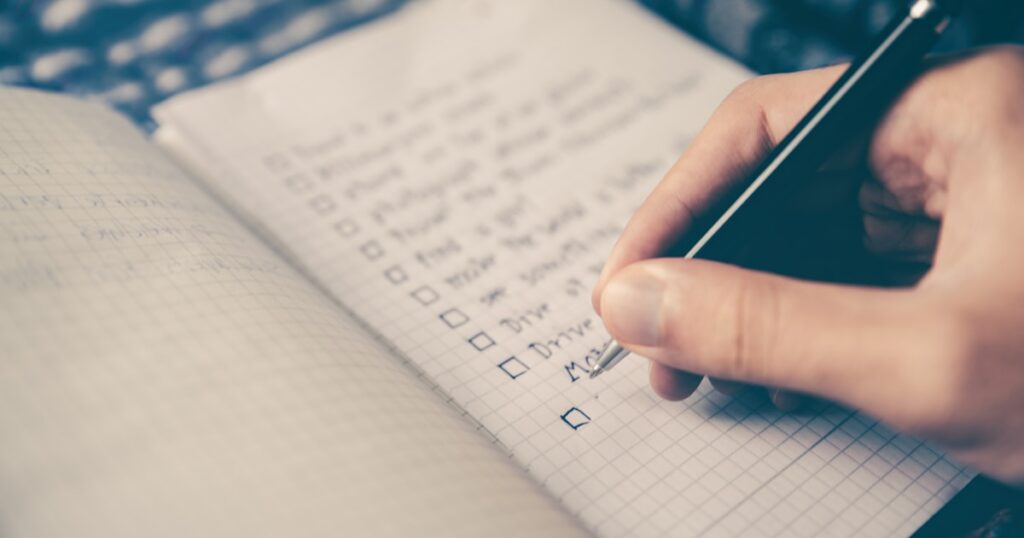
 Trying to build better habits is one of those things everyone talks about in January and forgets by March. The problem usually isn’t motivation – it’s the lack of a system that keeps you honest. A good habit tracker app does exactly that: it shows you the streak, reminds you when you’re slacking, and gives you just enough dopamine to keep going.
I spent two weeks testing over a dozen habit trackers across iOS, Android, and web. Some were overengineered nightmares. Others were so minimal they barely did anything. Here are the 9 that actually struck the right balance between useful and not-annoying.
Quick Comparison
| App | Best For | Price | Platforms |
|---|---|---|---|
| Habitica | Gamification lovers | Free (premium $5/mo) | iOS, Android, Web |
| Streaks | Apple ecosystem users | $4.99 one-time | iOS, watchOS, Mac |
| Loop Habit Tracker | Android minimalists | Free, open source | Android |
| Habitify | Cross-platform consistency | Free (pro $4.99/mo) | iOS, Android, Mac, Web |
| Ticktick (Habits) | Task + habit combo | Free (premium $35.99/yr) | All platforms |
| Fabulous | Guided routines | Free trial, then $12.99/mo | iOS, Android |
| Strides | Goal tracking with habits | Free (plus $4.99/mo) | iOS, Web |
| HabitNow | Simple daily tracking | Free (pro $2.99) | Android |
| Notion (habit templates) | DIY tracking nerds | Free | All platforms |
1. Habitica – Best for Making Habits Feel Like a Game
Habitica turns your daily habits into an RPG. You create a pixel avatar, earn gold for completing habits, take damage when you skip them, and can even join parties with friends to fight bosses. It sounds ridiculous, and it kind of is – but it works surprisingly well for people who respond to game mechanics.
The app splits your tasks into three buckets: habits (things you want to do more or less of), dailies (recurring tasks), and to-dos (one-off items). Each completed task gives XP and gold. Miss a daily and your character literally loses health points. If your HP hits zero, you lose a level and a random piece of equipment.
The community aspect is what sets Habitica apart. Joining a party means your failures hurt your teammates too, which adds genuine social pressure to stay on track. There are also challenges, guilds, and seasonal events that keep things fresh.
What I liked
- The gamification actually motivates you (especially the party system)
- Completely free for core features
- Works on every platform including web
- Active community with thousands of challenges
What could be better
- UI looks dated compared to modern apps
- Overwhelming for people who just want a simple checklist
- Game elements can distract from the actual habit building
2. Streaks – Best for Apple Users Who Want Simplicity
Streaks is what happens when Apple’s design philosophy meets habit tracking. It’s clean, focused, and does exactly one thing well: tracking up to 24 habits with a visual streak counter. The circular progress rings will feel familiar to anyone who uses an Apple Watch.
What makes Streaks special is its Health app integration. You can create habits that auto-complete based on Apple Health data – walked 10,000 steps? The habit marks itself done. Same for sleep duration, mindfulness minutes, and other health metrics. This removes the friction of manual check-ins for fitness habits.
The app also supports flexible scheduling. Not every habit needs to happen daily – you can set habits for specific days or a target number of times per week. The widget support is excellent too, letting you check off habits right from your home screen.
What I liked
- Beautiful, intuitive design
- Apple Health integration is a game changer
- One-time purchase, no subscription
- Excellent widgets and Apple Watch app
What could be better
- Apple only – no Android or web version
- Limited to 24 habits (enough for most, but still a cap)
- No social features or accountability partners
3. Loop Habit Tracker – Best Free Option for Android
Loop is the kind of app that makes you wonder why anyone pays for habit trackers. It’s completely free, open source, has zero ads, and packs in features that some paid apps charge monthly for. The catch? It’s Android only.
The analytics in Loop are genuinely impressive for a free app. You get streak charts, frequency histograms, and a calendar view that color-codes your consistency. It supports both yes/no habits and measurable ones (like “drink 8 glasses of water”). The scoring algorithm takes into account both frequency and consistency, giving you a percentage score for each habit.
Data export is another strong point. Loop lets you export to CSV, which means you can do your own analysis in a spreadsheet if you’re that kind of person. It also supports backups and has no cloud dependency – everything stays on your device.
What I liked
- 100% free with no ads or upsells
- Detailed analytics and charts
- Open source and privacy-friendly
- Supports measurable habits, not just checkboxes
What could be better
- Android only
- No cloud sync between devices
- Design is functional but not pretty
4. Habitify – Best for Cross-Platform Users
If you switch between an iPhone, a Windows laptop, and a Chromebook throughout the day, Habitify is one of the few habit trackers that actually works everywhere. It has native apps for iOS, Android, macOS, and a web app that syncs in real time. Your data follows you no matter what device you grab.
The app organizes habits into time-of-day categories: morning, afternoon, evening, and anytime. This is more practical than it sounds – instead of staring at a massive list of 15 habits, you only see the ones relevant to your current routine. The journal feature lets you add notes to each habit entry, which is useful for tracking context (like noting what triggered a craving).
Habitify’s reports are clean and informative. You get completion rates, streak data, and a weekly summary that shows your best and worst performing habits. The free tier limits you to 3 habits though, which is pretty stingy. You’ll almost certainly need the pro plan.
What I liked
- Truly cross-platform with real-time sync
- Smart time-of-day grouping
- Journal notes for context
- Clean, modern interface
What could be better
- Free tier is too limited (3 habits)
- Pro plan is a subscription, not one-time
- No gamification or social features
5. TickTick (Habits Module) – Best for Task + Habit Tracking Combo
TickTick started as a project management and task app, but its built-in habit tracker is genuinely good enough to replace a standalone habit app. If you already use TickTick for to-dos, adding habits into the same workflow makes a lot of sense – fewer apps, less context switching.
The habit module lives right alongside your tasks and calendar. You can set habits as daily, weekly, or custom frequency, and track them with a simple tap. The stats view shows your completion rate and longest streak. What’s nice is that habits can also appear in your daily task list, so everything you need to do today lives in one place.
TickTick’s Pomodoro timer pairs well with habits too. If your habit is “study for 30 minutes,” you can start a focus session right from the habit card. The premium plan unlocks more habit slots and calendar views, but the free version supports up to 5 habits which is reasonable for getting started.
What I liked
- Tasks, calendar, and habits in one app
- Pomodoro timer integration
- Available on every platform
- Free tier is actually usable
What could be better
- Habit features are secondary to task management
- Analytics are basic compared to dedicated habit apps
- Can feel cluttered if you only want habit tracking
6. Fabulous – Best for Building Complete Routines
Fabulous takes a different approach than most habit trackers. Instead of letting you create random habits and hoping for the best, it guides you through a structured program based on behavioral science research from Duke University. You start with one tiny habit (usually drinking water in the morning) and gradually build a full morning, afternoon, and evening routine.
The app feels more like a wellness coach than a tracker. It explains why each habit matters, uses motivational letters, and celebrates small wins. The journey-based structure means you don’t get overwhelmed trying to change 10 things at once – it introduces new habits only when you’ve proven consistency with the current ones.
The downside is the price. After the free trial, Fabulous costs $12.99 per month, which is steep for a habit app. And because the program is structured, you have less freedom to track whatever you want. It’s opinionated software – great if you agree with its approach, frustrating if you don’t.
What I liked
- Science-backed approach to habit formation
- Guided journeys prevent overwhelm
- Beautiful, polished design
- Focus on routines, not individual habits
What could be better
- Expensive subscription ($12.99/mo)
- Less flexibility than other trackers
- Can feel patronizing if you already know what habits you want
7. Strides – Best for Mixing Goals and Habits
Strides blurs the line between habit tracking and goal tracking. Most apps treat these as separate things, but Strides lets you track a daily habit (“meditate for 10 minutes”) alongside a long-term goal (“save $5,000 by December”) in the same interface. It supports four tracker types: habit, target, average, and project milestones.
The flexible tracking is the real selling point. You can set habits that need to happen a specific number of times per week (not necessarily daily), track values over time (like weight or savings), or create project trackers with milestone percentages. The charts adapt to whatever type of tracker you’re using.
One annoyance: Strides is iOS only, with a web dashboard for viewing (but not adding) data. The free plan limits you to 7 trackers, which fills up fast if you’re mixing habits and goals. The plus plan at $4.99/month unlocks unlimited trackers and better reporting.
What I liked
- Four different tracker types in one app
- Flexible scheduling (X times per week)
- Good charts and progress visualization
- Smart reminders based on your patterns
What could be better
- iOS only (web is read-only)
- Free tier limit of 7 trackers is tight
- Interface can feel busy with multiple tracker types
8. HabitNow – Best Simple Tracker for Android
HabitNow is for people who don’t want gamification, guided journeys, or cross-platform sync. They just want to open an app, check off today’s habits, and close it. The entire experience takes about 5 seconds, which is exactly how long a habit check-in should take.
The app has a clean daily view with all your habits listed and ready to check off. You can organize them by time of day, set reminders, and view basic stats like current streak and completion rate. It also supports a “habit score” that gives you an overall grade for the day based on how many habits you completed.
HabitNow is free with ads, or $2.99 one-time for the pro version that removes ads and adds some extra features. The one-time purchase model is refreshing in a sea of subscriptions. It won’t wow you with features, but sometimes that’s the point.
What I liked
- Dead simple to use
- One-time purchase, no subscription
- Fast daily check-in workflow
- Doesn’t try to be more than it is
What could be better
- Android only
- Analytics are very basic
- No sync or backup to cloud
9. Notion (Habit Templates) – Best for DIY Tracking Nerds
If you already live in Notion for productivity, building a habit tracker inside it is surprisingly effective. Notion’s database feature lets you create a daily log where each row is a day and each column is a habit. Add a formula column that counts your checkboxes, throw in a calendar view, and you’ve got a custom habit tracker that works exactly how you want it to.
The beauty of this approach is complete customization. Want to add a mood rating alongside your habits? Done. Want to link habits to specific projects or goals? Easy. Want a weekly review template that pulls in your habit data? Notion can do that. The flexibility of Notion as a note-taking platform extends naturally to habit tracking.
The obvious downside is setup time. While there are hundreds of free habit tracker templates available (some are genuinely great), you’ll still spend time customizing and maintaining your system. And Notion’s mobile app, while improved, still isn’t as fast as tapping a checkbox in a dedicated habit app. If speed matters to you, a purpose-built app wins.
What I liked
- Infinitely customizable
- Free and works on all platforms
- Integrates with your existing Notion workspace
- Hundreds of free templates to start from
What could be better
- Requires setup and maintenance
- Mobile check-in is slower than dedicated apps
- No reminders or notifications (unless you add integrations)
How to Pick the Right Habit Tracker
The best habit tracker is the one you’ll actually open every day. That might sound obvious, but it rules out a lot of options immediately. Here’s what to consider:
Platform matters more than features. If you’re on Android, don’t pine for Streaks. If you switch devices often, go with Habitify or TickTick. The tracker that’s always in your pocket beats the “better” one you can’t access.
Start with fewer habits than you think. Most people create 10 habits on day one and abandon the app by day five. Start with 3. Add more only when those three are automatic. Apps like Fabulous enforce this, which is why they work.
Decide if you need accountability or just tracking. If willpower alone isn’t cutting it, Habitica’s party system or sharing your Strides dashboard with a friend adds external pressure. If you’re self-motivated, a simple tracker like Loop or HabitNow will do.
Consider your budget honestly. Loop and Habitica are genuinely free. Streaks and HabitNow are one-time purchases. Everything else is a subscription. If you’re testing the waters, start free and upgrade only if you’re still using the app after 30 days.
FAQ
Do habit tracker apps actually work?
Research suggests that monitoring behavior increases the likelihood of change. A 2016 meta-analysis published in Health Psychology Review found that self-monitoring is one of the most effective behavior change techniques. Habit tracker apps are essentially digital self-monitoring tools. They work if you use them consistently – the hard part is picking one that’s frictionless enough that you don’t quit.
How many habits should I track at once?
Start with 3 to 5. Research on willpower and habit formation (James Clear’s “Atomic Habits” popularized this) suggests that focus beats breadth. Once your initial habits feel automatic (usually 3-4 weeks), add one more. Most experienced users settle at 5 to 8 daily habits.
What’s the best free habit tracker?
On Android, Loop Habit Tracker is the clear winner – open source, no ads, excellent analytics. On iOS, Habitica offers the most features for free. If you’re already a Notion user, building a habit tracker there costs nothing and gives you the most flexibility.
Should I use a separate habit app or build one in Notion/Obsidian?
Dedicated apps win on speed and reminders. Notion and Obsidian-style tools win on customization and integration with your existing workflow. If your daily check-in takes more than 10 seconds, you’ll eventually stop doing it. Pick whichever approach has less friction for you.
Is it bad to break a streak?
A broken streak feels terrible but it’s not a reason to quit. The “what-the-hell effect” (a real psychology term) makes people abandon a habit entirely after one miss. Better apps like Loop account for this by showing overall consistency rather than just streak length. Missing one day out of 30 is still 97% success.
Bottom Line
For most people, I’d recommend starting with Loop Habit Tracker (Android) or Streaks (iOS). They’re simple, reasonably priced (or free), and won’t overwhelm you with features you don’t need yet. If you want something more involved, Habitica is genuinely fun and TickTick is perfect if you want tasks and habits in one place. And if you’re already deep in the Notion ecosystem, just build your tracker there – it’ll be exactly what you need because you designed it yourself.
]]>