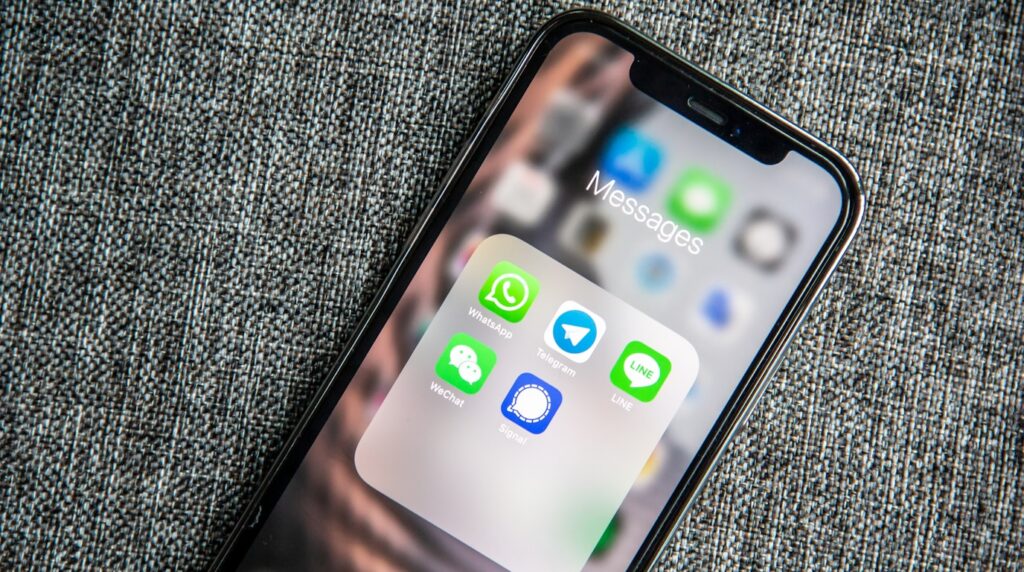
Picking a messaging app in 2026 feels like choosing a side in a war nobody asked for. WhatsApp has the numbers. Telegram has the features. Signal has the principles. But which one actually deserves space on your phone?
I’ve been using all three daily for over two years now – different groups, different contacts, different purposes. This comparison breaks down what each app genuinely does well (and where each one falls short) based on real everyday use, not marketing pages.
Quick Comparison Table
| Feature | Telegram | Signal | |
|---|---|---|---|
| End-to-End Encryption (default) | Yes | No (only Secret Chats) | Yes |
| Max Group Size | 1,024 | 200,000 | 1,000 |
| File Size Limit | 2 GB | 4 GB | 100 MB |
| Multi-Device Support | Up to 4 linked devices | Unlimited | Up to 5 linked devices |
| Username System | No (phone number only) | Yes (@username) | Yes (since 2024) |
| Self-Destructing Messages | Yes | Yes | Yes |
| Video Calls (max participants) | 32 | 30 | 40 |
| Stories/Status | Yes | Yes (Stories) | Yes (Stories) |
| Bots & Automation | Limited (Business API) | Extensive Bot Platform | No |
| Open Source | No | Client only | Fully open source |
| Owner | Meta | Telegram FZ-LLC | Signal Foundation (nonprofit) |
Privacy and Security – The Real Story
This is where the conversation usually starts, and where most comparisons get it wrong by oversimplifying things.
Signal: The Privacy Benchmark
Signal encrypts everything end-to-end by default – messages, calls, group chats, file transfers, even your profile name and avatar. The Signal Protocol (which, ironically, WhatsApp also uses) is considered the gold standard in encrypted messaging.
What makes Signal different isn’t just the encryption though. It’s the metadata. Signal stores almost nothing on their servers. When the FBI subpoenaed Signal’s records in 2021, all they could hand over was the account creation date and last connection timestamp. That’s it. No message content, no contacts, no groups, no profile info.
Signal is run by a nonprofit foundation funded by donations. There are no ads, no tracking, no data harvesting. The entire codebase – server and client – is open source and regularly audited.
WhatsApp: Encryption With Asterisks
WhatsApp uses the same Signal Protocol for message encryption. Your actual message content is encrypted end-to-end, and Meta can’t read it. That part is true.
But here’s what people miss: WhatsApp collects a massive amount of metadata. Who you talk to, when, how often, your IP address, device info, location data, payment information, and more. All of that feeds into Meta’s advertising machine. Your messages are private, but your behavior patterns absolutely are not.
Cloud backups are another weak spot. If you back up your chats to Google Drive or iCloud without enabling encrypted backups (which most people don’t), those messages sit on third-party servers unencrypted. WhatsApp added encrypted backup support in late 2021, but it’s opt-in and buried in settings.
Telegram: Privacy Theater?
This might surprise some people, but Telegram’s regular chats are not end-to-end encrypted. They use client-server encryption, meaning Telegram’s servers can technically access your messages. Only “Secret Chats” – a separate mode you have to manually activate – use end-to-end encryption.
Secret Chats also come with limitations: they only work on the device where you started them, they don’t sync across devices, and they’re not available for group conversations.
Telegram uses its own MTProto protocol instead of the widely audited Signal Protocol. While MTProto has been reviewed by cryptographers and no major flaws have been found recently, it hasn’t received nearly the same level of scrutiny as Signal’s protocol.
On the flip side, Telegram does let you use the platform without revealing your phone number (via usernames), and it has a track record of resisting government data requests – though the legal situation has gotten more complicated since 2024.
Features – Where Each App Shines
Telegram: The Feature King
If you want raw functionality, Telegram wins by a mile. The feature list is honestly ridiculous:
- Channels – broadcast to unlimited subscribers, basically a built-in blog/newsletter platform
- Bots – a full bot API that lets developers build everything from payment systems to games to customer support tools
- Groups up to 200K members – with admin tools, permissions, slow mode, and anti-spam features that actually work
- 4 GB file sharing – basically a free cloud storage service disguised as a messenger
- Folders and chat organization – pin chats, archive, create custom folders with filters
- Built-in media editor – crop, add stickers, draw on photos before sending
- Scheduled messages – send messages at specific times
- Message editing – edit sent messages with no time limit
- Saved Messages – a personal chat that works like a cloud notepad
- Custom themes – full theme editor with color pickers and backgrounds
- Telegram Premium ($4.99/mo) – doubles most limits, adds exclusive stickers and reactions
Telegram also has native apps for every platform that feel fast and polished. The desktop apps (Windows, macOS, Linux) are genuinely good, not just afterthoughts.
WhatsApp: The Everyday Workhorse
WhatsApp doesn’t try to be everything. It focuses on the basics and does them reliably:
- Voice and video calls – consistently good quality, works on slow connections
- Status updates – Instagram Stories but for your contacts
- WhatsApp Business – catalog, automated replies, labels for organizing customers
- Communities – meta-groups that organize related group chats under one umbrella
- Payments – in-app payments in select countries (India, Brazil)
- Channels – added in 2023, similar to Telegram channels but simpler
- Multi-device – works on up to 4 devices without keeping your phone connected
The biggest advantage WhatsApp has is simply that everyone uses it. In most of the world outside the US and China, WhatsApp IS messaging. You don’t choose WhatsApp – your contacts choose it for you.
Signal: Lean and Focused
Signal deliberately keeps things simple. You get:
- Encrypted messaging and calling – text, voice, video, group calls up to 40 people
- Disappearing messages – set timers from 30 seconds to 4 weeks
- Stories – added in 2022, end-to-end encrypted
- Usernames – added in 2024, so you can share your Signal contact without giving out your phone number
- Note to Self – personal encrypted notepad
- Screen security – blocks screenshots in the app
- Relay calls – route calls through Signal servers to hide your IP from contacts
What Signal doesn’t have: bots, channels, large groups, sticker creation tools, file sharing above 100 MB, or any of the social media features. That’s intentional. Every feature Signal adds has to pass a privacy review, which means development moves slower but nothing compromises your security.
User Experience Compared
Setup and Onboarding
All three apps require a phone number to register. Signal and Telegram now let you hide your number behind a username after registration, while WhatsApp still ties your identity to your phone number.
WhatsApp has the easiest onboarding because it automatically imports your phone contacts who already use WhatsApp. Signal does the same but with a smaller user base, so your contact list will look emptier. Telegram lets you find people by username, which is more flexible but means you need to manually add contacts.
Desktop and Multi-Device
Telegram handles multi-device better than anyone. Your account lives in the cloud, so you can log in from any device – phone, tablet, desktop, web browser – and everything syncs instantly. You can even use Telegram without a phone entirely after initial setup.
WhatsApp improved significantly here. The linked devices feature works without keeping your phone online, supporting up to 4 additional devices. It’s reliable now, though message sync can lag slightly when you first link a new device.
Signal supports up to 5 linked devices. Desktop apps work independently once linked, but the initial setup requires your phone. Message history doesn’t transfer to new devices for security reasons, which can be annoying when switching phones.
Speed and Performance
Telegram is the fastest of the three. Messages send and deliver almost instantly, media loads quickly thanks to their CDN, and the apps feel snappy even on older devices. Telegram’s cloud-first architecture means you never worry about storage space on your phone.
WhatsApp performs well but stores everything locally by default. Long chat histories eat into your phone storage, and restoring from backup when switching phones can take hours if you have years of media.
Signal is slightly slower than both, especially for media-heavy messages. The encryption overhead is minimal for text, but sending large files or high-resolution images takes noticeably longer. It’s not bad – just not as instant as Telegram.
Group Chats and Communities
This is where the apps diverge dramatically.
Telegram is built for large communities. Groups support up to 200,000 members with granular admin controls – permissions, slow mode (limits how often members can post), anti-spam bots, and admin hierarchies. Channels can have unlimited subscribers and work like one-way broadcast tools. If you’re building an online community, Telegram is the obvious choice.
WhatsApp caps groups at 1,024 members. Communities (introduced in 2022) let you organize multiple groups under one roof with announcement channels, which helps for organizations and neighborhoods. The admin tools are basic compared to Telegram but sufficient for most use cases.
Signal supports groups up to 1,000 members, but it’s really designed for small private groups. There are no channels, no broadcast features, and limited admin tools. Group calls work well with up to 40 participants though.
Bots and Automation
Telegram’s bot platform is in a league of its own. The Bot API lets developers create bots that can process payments, run interactive games, manage communities, create polls, translate messages, generate content – basically anything. Mini Apps (formerly Web Apps) turn bots into full-fledged applications running inside Telegram.
WhatsApp has the Business API and Cloud API for businesses to build chatbots and automated customer service, but it’s enterprise-focused and not free. Regular users can’t create or use bots the way Telegram users can.
Signal has no bot support at all, and probably never will. Bots would require server-side message processing, which conflicts with Signal’s privacy model.
Who Should Use What
Choose WhatsApp If:
- Your friends and family already use it (this is the main reason for most people)
- You need reliable voice and video calling
- You run a small business and want WhatsApp Business features
- You’re in a region where WhatsApp is the default (Latin America, India, Europe, Africa)
- You want something that “just works” without configuration
Choose Telegram If:
- You want the most features in a messaging app
- You manage or participate in large online communities
- You share lots of files and media (4 GB limit is generous)
- You use multiple devices and want seamless sync
- You’re interested in bots, channels, or building on the platform
- Privacy is important but end-to-end encryption for everything isn’t a hard requirement
Choose Signal If:
- Privacy and security are your top priorities
- You want zero data collection – not even metadata
- You’re a journalist, activist, or work with sensitive information
- You want a simple, no-nonsense messaging experience
- You trust open-source software over corporate promises
The Realistic Answer
Most people will end up using at least two of these. WhatsApp because your contacts are there, and either Telegram for features or Signal for privacy. They’re free apps – there’s no rule saying you can only pick one.
My personal setup: WhatsApp for family and old friends who won’t switch, Telegram for communities and tech groups, Signal for conversations I want to keep genuinely private. It’s not elegant, but it works.
What About iMessage, Discord, and Others?
Quick takes on the other players:
- iMessage – great if everyone you know has an iPhone, irrelevant if they don’t. RCS support in iOS 18 helped, but it’s still Apple’s walled garden. Check out our email client comparison if you’re looking at Apple’s broader communication ecosystem.
- Discord – built for communities and gaming, not personal messaging. Overlap with Telegram’s group features but very different vibe.
- Facebook Messenger – Meta’s other messenger. End-to-end encryption is now default (as of late 2023), but it’s still Facebook. If you’re already on WhatsApp, there’s little reason to also use Messenger.
- Google Messages – Android’s default SMS app with RCS. Getting better but still dependent on carrier support.
Frequently Asked Questions
Is Telegram safe to use?
For everyday messaging, yes. But your regular chats are not end-to-end encrypted by default – Telegram can technically access them. If you need true privacy, use Secret Chats or switch to Signal for sensitive conversations.
Can WhatsApp read my messages?
No. WhatsApp uses end-to-end encryption for all messages, so even Meta can’t read the content. However, Meta collects metadata – who you message, when, how often, your device info, and more.
Is Signal really free? What’s the catch?
Signal is completely free with no ads, no tracking, and no data selling. It’s funded by donations and grants through the Signal Foundation, a 501(c)(3) nonprofit. The initial funding came from Brian Acton (WhatsApp co-founder) who donated $50 million after leaving Meta.
Can I use Telegram without giving my phone number?
You need a phone number to register, but after that you can set a username and hide your number from everyone. People can find and message you via @username without ever seeing your phone number. You can even buy anonymous numbers through Telegram’s Fragment platform.
Which app uses the least data?
Signal generally uses the least data for messaging and calls due to its minimal feature set. Telegram uses more because of media-heavy features but lets you control auto-download settings. WhatsApp falls in the middle. For voice calls specifically, all three are comparable at around 0.5-1 MB per minute.
Can I transfer my chat history between these apps?
WhatsApp lets you export individual chats, and there are built-in tools to move WhatsApp history to Telegram. Signal doesn’t support chat imports from other apps. Moving from Telegram to WhatsApp or Signal requires third-party tools that may not preserve all formatting and media.
Which is best for business use?
WhatsApp Business is the most polished for customer-facing communication, with catalogs, automated replies, and labels. Telegram is better for community building and content distribution through channels and bots. Signal isn’t designed for business use. If you’re managing projects, you might also want to look at dedicated project management tools alongside your messaging app.
The Bottom Line
There’s no single “best” messaging app – just the best one for your specific situation. WhatsApp wins on reach, Telegram wins on features, and Signal wins on privacy. The good news is you don’t have to pick just one, and switching between them takes about 30 seconds of your day.
If you had to pick only one? WhatsApp for practicality (your contacts are already there), Telegram for power users who want everything in one app, Signal for anyone who takes digital privacy seriously. But honestly, install all three and use each where it makes sense. That’s what most tech-savvy people end up doing anyway.